Why templates help a job search
A job search repeats the same tasks. Each application needs a resume that matches the job, a cover letter, and sometimes a follow-up after an interview. Writing those from scratch each time is slow, and the results are hard to compare.
A template fixes that. You keep the instructions the same, change only the details about the job, and see which version works better. OpenAI's prompt guide makes a related point: a single prompt can only do so much, so a tight scope usually beats a prompt that asks for everything at once. That is why each template below covers one task.
The four parts of a template
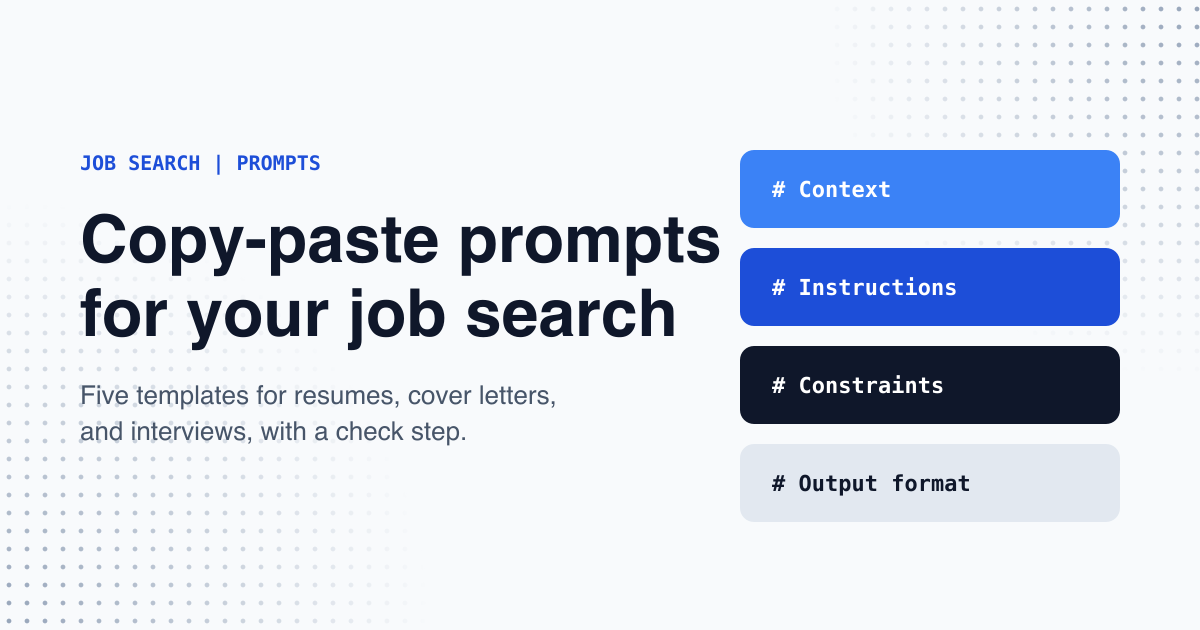
Every template in this article uses the same four headers. The ChatGPT Enterprise cookbook describes this as a minimal structure, not a fixed template, so you can add, remove, or rename headers to fit the task.
# Context
What you are working on, and the background the model needs.

# Instructions
Exactly what you want done.

# Constraints
Tone, length, rules, and anything that must not change.

# Output format
The shape of the answer: headings, a table, a bullet list, or an email with a subject line.- Context: what you are working on, and the background the model needs, such as your target role.
- Instructions: exactly what you want done.
- Constraints: the rules the answer must follow, such as length, tone, and what must not change.
- Output format: the shape of the answer, such as a list, a table, or an email with a subject line.
Use Markdown headers to mark each part. OpenAI's guide says headers mark distinct sections, and XML tags mark where content such as a reference document begins and ends. Put the material you paste, such as your resume or a job description, under its own header, so the model can tell it apart from your instructions.
Examples are one of the most reliable ways to steer format and tone, according to Anthropic's prompting guide. If you want a particular style, paste three to five short samples you like, wrapped in tags.
Five templates to copy for your job search
Each template covers one task. Replace everything in square brackets with your own details, then paste the whole block into your AI chat. Keep the constraint lines. They stop the model from inventing experience, which would be a serious problem in a job application. If a section is empty, the template tells the model to stop and ask you, rather than guess.
1. Understand a job posting
Use this before you apply. It sorts what the employer asks for and shows where your background is thin, so you know what to prepare.
# Context
I am applying for [job title] at [company]. If the company name is unknown, write "Company name unknown" and do not invent one. My background: [two or three lines about your experience].

# Instructions
Read the job description below. Sort the requirements into three lists: must-have, nice-to-have, and things to ask about in an interview. For each must-have, say whether my background shows it, and quote the line from my background that shows it. If it does not, say so.

# Constraints
Do not assume I have a skill I did not list. Keep each list to ten items or fewer. If the job description is unclear on something, say what is unclear. If a pasted section is empty, stop and ask me for it before you answer.

# Output format
Three bulleted lists with the headings Must-have, Nice-to-have, and Ask in the interview. Then a table with the columns Requirement | My evidence | Gap.

# Job description
[paste the full job description here]
2. Tailor your resume
Use this for each application. It rewrites your summary and your recent experience, or your projects if you have no paid work, to match the job. It also lists any requirement your resume does not cover, so you do not claim what you cannot back up.
# Context
I want to apply for [job title] at [company]. If the company name is unknown, write "Company name unknown" and do not invent one. My resume is below, followed by the job description.

# Instructions
Rewrite my summary, and the bullet points under my most recent work experience, so they match the job description. If I have no paid work experience, use my projects and education instead. Keep my wording close to the original. Put the most relevant points first.

# Constraints
Use only facts from my resume. Do not invent experience, tools, numbers, job titles, or dates. Do not present a project as a job. If a requirement has no matching evidence, do not add it; list it at the end under "Not in my resume". Keep the summary to three sentences. If a pasted section is empty, stop and ask me for it before you answer.

# Output format
1. Revised summary
2. Revised bullets for each recent role or project
3. "Not in my resume" list

# Resume
[paste your resume here]

# Job description
[paste the job description here]
3. Write a cover letter
Use this to draft the letter. Treat the result as a first draft, and edit it so it sounds like you.
# Context
I am applying for [job title] at [company]. If the company name is unknown, write "Company name unknown" and do not invent one. The hiring manager is [name, or "not known"]. I want the letter to sound [one or two words, for example: warm and direct].

# Instructions
Write a cover letter of about 250 words. Open with the main reason I fit this role. Connect two or three examples from my resume to the job's most important requirements. End with a short, polite request for an interview.

# Constraints
Use only facts from my resume and the job description. Do not invent achievements or claims about the company. Do not open with "I am writing to apply". Use plain English. If a pasted section is empty, stop and ask me for it before you answer.

# Output format
Three or four short paragraphs with no headings. Then one line that lists only the employer facts stated in the job description. If the company name is not in the job description, write: Company name not in job description.

# Resume
[paste your resume here]

# Job description
[paste the job description here]
4. Practise an interview
Use this the week before an interview. The assistant plays the interviewer, asks one question at a time, and gives feedback after each answer.
# Context
I am preparing for an interview for [job title] at [company]. The job description and a short summary of my experience are below. This is a chat: I will reply after each question, for six questions in total.

# Instructions
Act as the interviewer. Ask the first question now. After I reply, give feedback and ask the next question, and wait for my answer each time. Ask two questions about my experience, two about situations I may have faced, and one about why I want this role. If my summary shows no paid jobs, ask about my projects, coursework, or volunteer work instead of workplace situations. After each answer, give feedback in three parts: what worked, what was unclear, and a stronger version of my answer in my own words.

# Constraints
Choose questions only from the job description and my summary. Keep feedback to five sentences per answer. Do not make up details about my background. If a pasted section is empty, stop and ask me for it before you answer.

# Output format
Only the next question and, after my answer, its feedback. After my sixth answer, give a clarity score from 1 to 5 and the two things I should practise most.

# Job description and my summary
[paste the job description and your summary here]
5. Write a thank-you email
Use this within a day of the interview. It keeps the email short and refers to something you actually discussed.
# Context
I interviewed for [job title] at [company] on [date] with [interviewer's name and role]. We talked about: [two or three topics from the interview].

# Instructions
Write a short thank-you email from me to the interviewer. Mention one specific topic from our conversation, and say that I am still interested in the role.

# Constraints
Under 120 words. Friendly and professional. Do not mention salary. Use only the topics I listed, and do not invent details about the conversation. If the date, the interviewer, or the topics are missing, say you cannot draft the email yet, and list what I need from my notes. If any field still shows square brackets, treat it as missing.

# Output format
A subject line, then the email body. Then one alternative subject line.
Check the result before you send anything
- Check every name, date, job title, and number against your own records. For factual output, OpenAI's guide suggests asking the model to quote from the material you provided, and to label anything uncertain.
- Add a quality checklist at the end of the prompt, such as: make sure the output includes X, avoid Y. OpenAI's guide recommends this for accuracy.
- Test the template before you rely on it. OpenAI recommends a small evaluation of five to ten questions where you already know the answer. For a job search, try one template on a job you have already applied to, and compare the output with what you sent.
- Show the template to a friend who has no context. Anthropic's guide gives a golden rule: if a colleague with minimal context would be confused by the prompt, the model will be too.
- If the first result is off, change the prompt based on what went wrong: missing context, an unclear format, an unclear audience, or too many asks in one prompt.
- Remove personal details such as your phone number and home address from your resume before you paste it into any AI tool.